
LUX Orchestral Strings was designed to feel expressive and natural right out of the box. Still, there are a few powerful features that are easy to overlook and can significantly improve realism, playability, and workflow. Below are 6 useful tips and tricks we recommend integrating into your daily scoring routine.
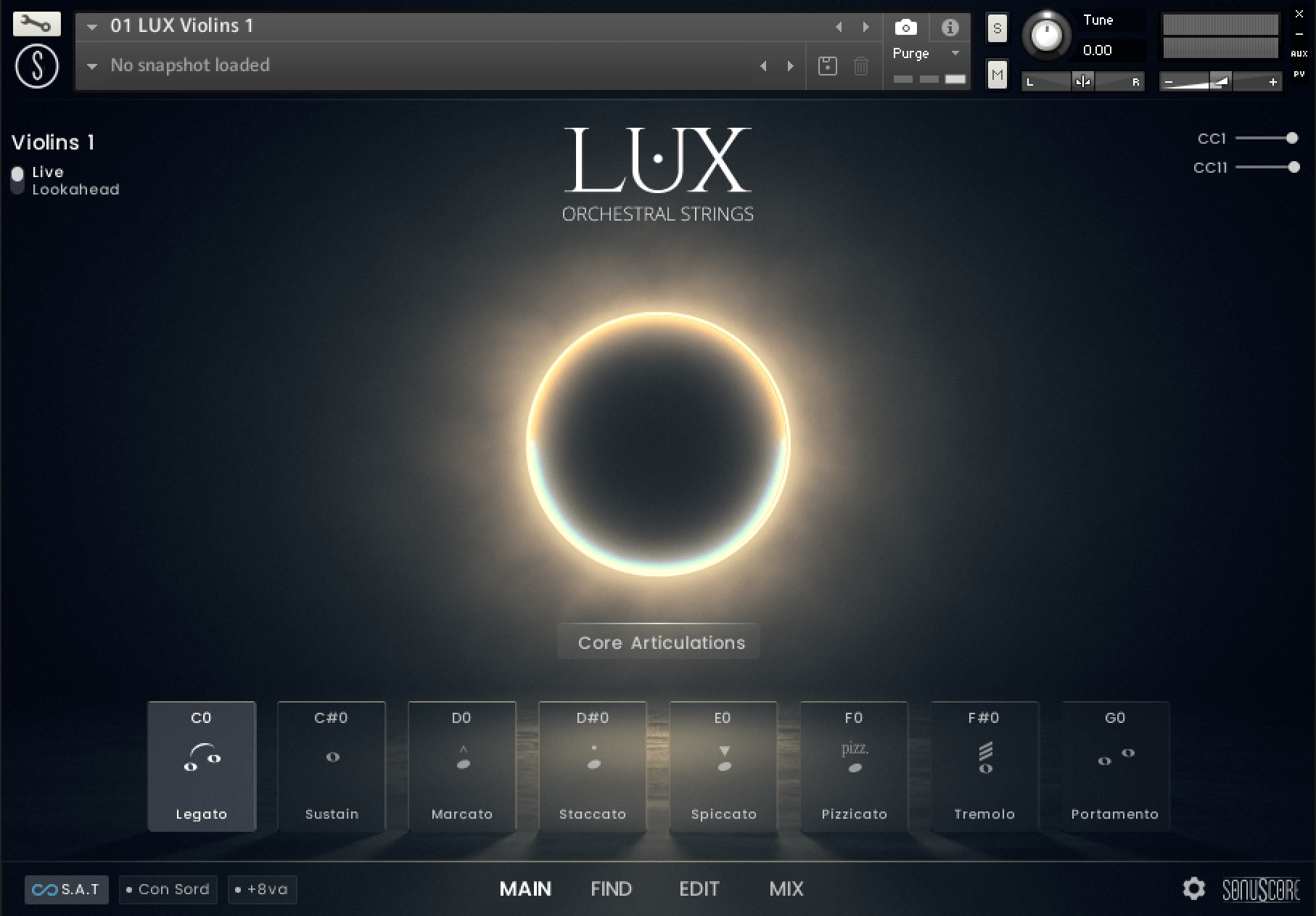
1. Live Mode vs Lookahead – Choosing the Right Engine
On the Main Page of each instrument, you can choose between two different playback modes, each optimized for a specific scenario:
Live Mode is designed for real-time performance. It reacts instantly to your playing and is ideal when:
- Recording MIDI in real time
- Playing parts on a keyboard
- Sketching ideas quickly
Latency is minimized, making it feel very immediate and responsive.
In Lookahead Mode all sample starts are unified and optimized for a delay of -250ms. Set your track delay to this value and LUX Orchestral Strings will be perfectly in sync with your other instruments.
Use Lookahead Mode when:
- Playing back pre-recorded MIDI
- programming anything using MIDI/Pianoroll
- Working on final mockups
In Lookahead Mode, everything can be quantized as long as the delay is set correctly in the regions.
In short: Live Mode for recording, Lookahead for playback and refinement.
2. Transition Speed – Ultra-Fast Legato for Live Playing
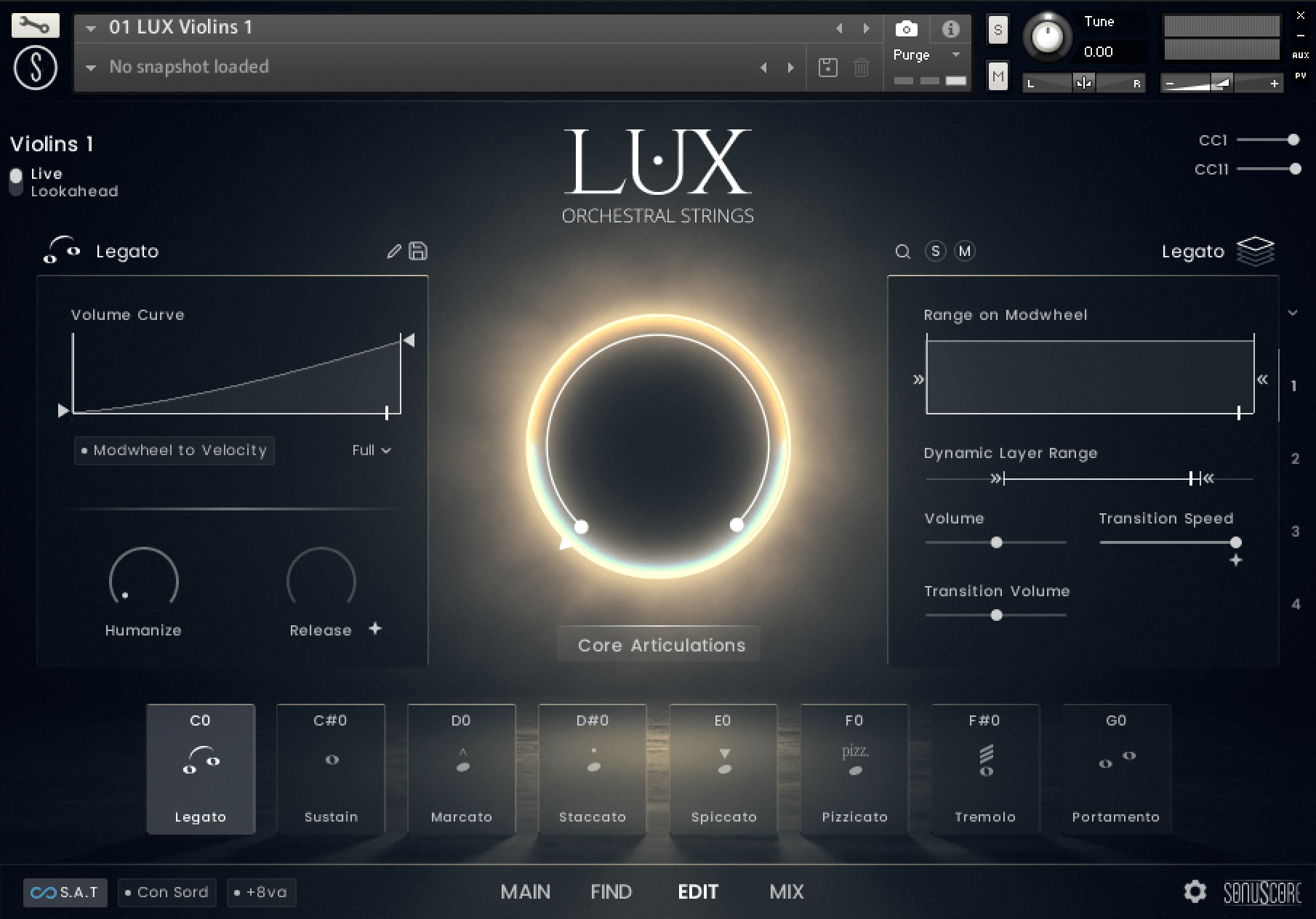
If you want to play fast melodic lines or arpeggios in Legato, this function may be crucial for you: On the EDIT Page, you’ll find the Transition Speed control, which directly affects how quickly legato transitions are triggered.
First, make sure that Live Mode is chosen on the main page for immediate response. Then go to the EDIT page, select the Legato articulation and set ‘Transition Speed’ fully to the right. This minimizes the transition latency and makes the legato feel extremely tight and responsive, even in rapid passages and runs.
This combination is ideal for:
- Fast melodic lines
- Agile runs and ornaments
- Live performance and real-time recording
By pushing Transition Speed to its fastest setting, LUX Orchestral Strings adapts perfectly to high-velocity playing while retaining smooth, musical transitions. For the best possible quality, you might want to check if more latency brings you a better sonic result.
3. Building Custom Articulations with Up to 4 Layers
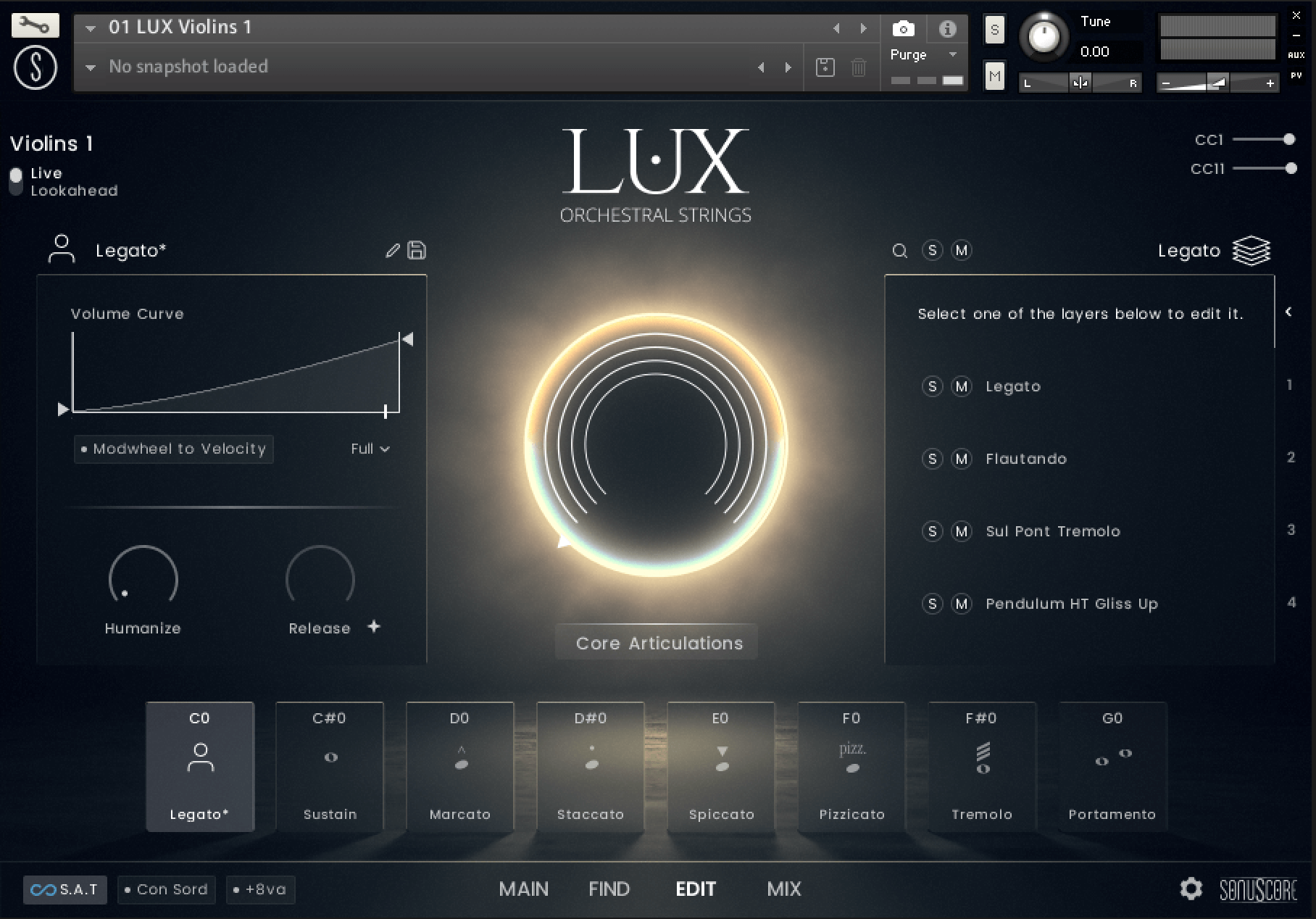
In the EDIT window, you can create your own articulations by combining up to four layers within a single Keyswitch slot. This allows you to design highly customized sounds, for example:
- Sustains: Combining a sustain with one or more texture layers (tremolo, soft motion, flautando)
- Shorts: Adding bartok pizzicato on top of pizzicato, combined with spiccato.
- Mapping 4 different articulations to change via Mod Wheel position within one Key Switch.
How it works:
- Open the EDIT page
- Select a Keyswitch slot
- Add up to four layers from the Sub Articulation Browser
- Adjust balance, dynamics, and articulation behavior per layer
This feature can turn LUX Orchestral Strings into a powerful sound-design tool, not just a traditional string library.
4. CC Smoothing – Natural Dynamic Flow
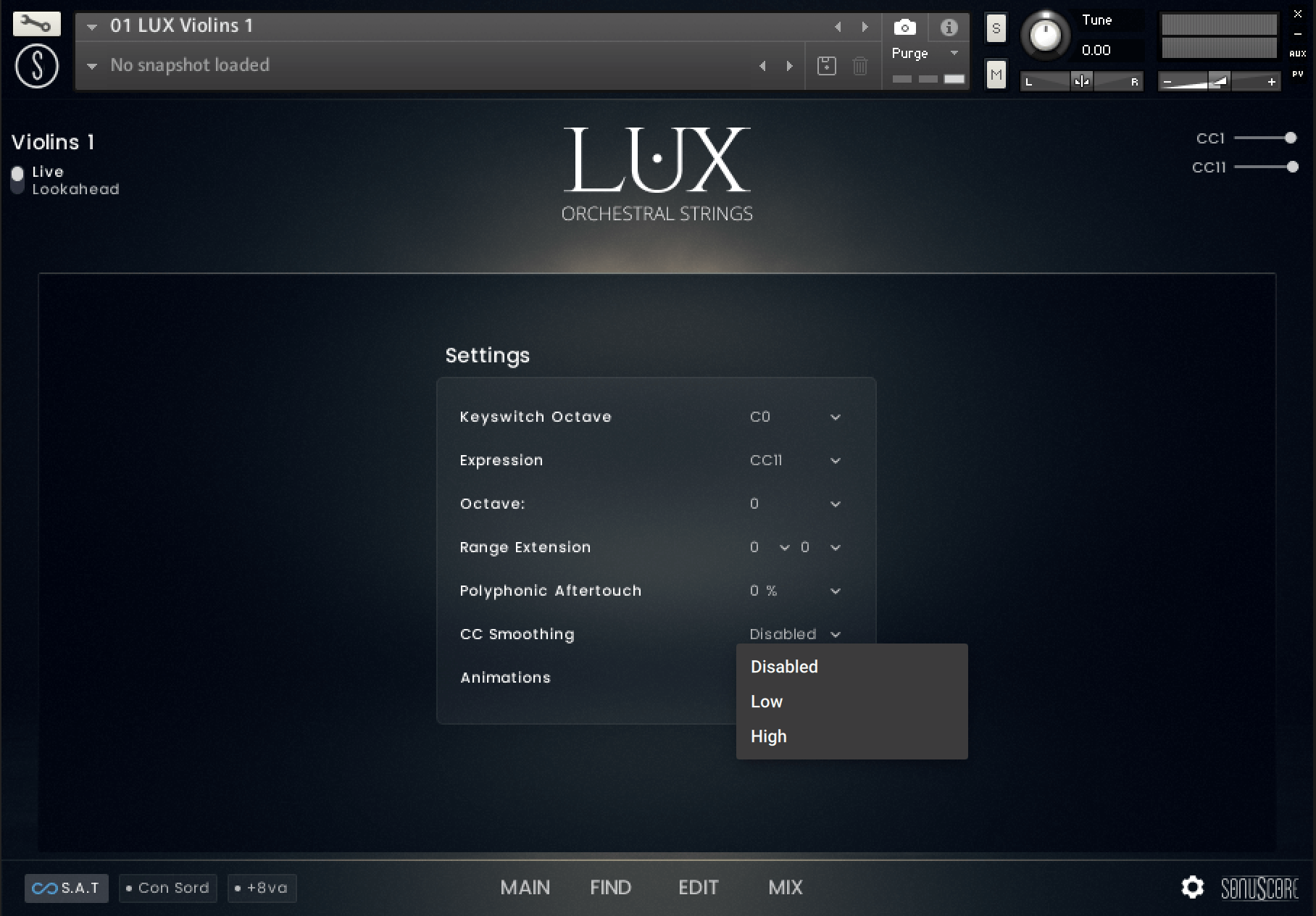
On the Settings Page, you’ll find CC Smoothing, a feature that smooths incoming CC data, most commonly the Mod Wheel and Expression Controller.
When CC Smoothing is enabled, sudden jumps in dynamics are softened, resulting in a much more natural response, beyond the standard 128 dynamic steps. This is especially useful when shaping long notes or sustained chords where you want to create gradual crescendos and decrescendos without audible steps or abrupt changes.
Best use cases:
- Long sustains and evolving chords
- Slow dynamic swells
- Emotional, lyrical passages
The result is a more organic dynamic flow that feels closer to real orchestral performance.
5. Contrabasses – Smart Keyboard Mapping and True Pitch Export
Another very helpful function on the Settings Page is the Octave Transpose.
In LUX Orchestral Strings , the Contrabasses are mapped one octave higher by default. This makes them far more playable on a standard keyboard and keeps them out of the extreme low range while composing.
When needed, you can easily transpose the Contrabasses back to their original orchestral register. You just open the Settings Page and change Octave to minus 1.
This is especially useful if you want to:
- Export MIDI for orchestration
- Hand parts to an orchestrator
- Ensure correct written pitch in notation software
You get the best of both worlds: comfortable playability while composing, and correct orchestral pitch when delivering MIDI.
6. ENSEMBLE NKI – Accurate chordal writing with Legato
The Ensemble Instrument of LUX Orchestral Strings makes it possible to quickly sketch your ideas and play with the full string ensemble on your keyboard. It can be very satisfying to play chordal material with proper voice leading with beautiful polyphonic legato in every section.
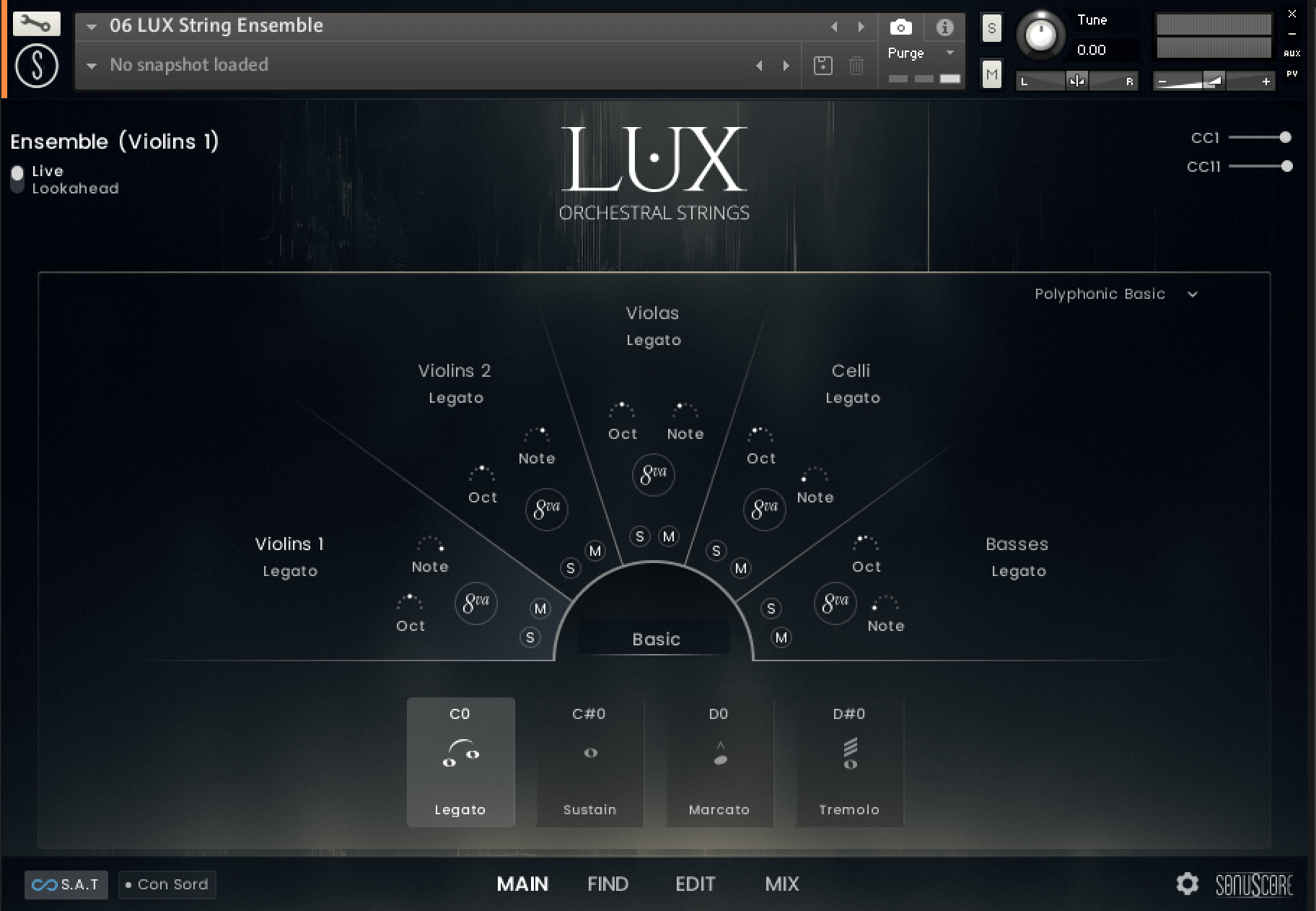
But be aware: While the Ensemble NKI supports legato, it behaves differently from the single-instrument legato.
When playing legato in the Ensemble NKI, it is crucial to avoid overlapping notes. Overlapping notes can confuse voice assignment for your played material, while non-overlapped playing is the way to ensure that each note is assigned properly, each note change transitions correctly and gives you the best results.
The good thing is: in the ensemble instrument, Legato transitions are still triggered even without overlap. To ensure that all transitions are played between notes, you can change chords while holding the sustain pedal. So even though you play cleanly and non-legato, the engine still produces smooth, connected transitions. The result remains fully legato, fluid, and musical.
Final Thoughts
LUX Orchestral Strings rewards careful playing and thoughtful setup. Many of its most powerful features are subtle rather than flashy, but they make a real difference in realism, control, and musicality.
Spending a little time with these tips will help you get closer to the expressive, cinematic sound LUX Orchestral Strings was designed for.